How to Find Your License Key
After purchasing a Slashit premium plan, your license key is sent to you automatically via email.
But if you can’t find it or need to access it again, don’t worry your license is managed securely by Lemon Squeezy, and you can retrieve it anytime in just a few clicks.
Follow these steps to locate your license key:
Step-by-Step Instructions
- Visit the My Orders page
Go to: https://app.lemonsqueezy.com/my-orders/
You’ll be prompted to log in using the email address you used to purchase Slashit.
<br> - Find your Slashit order
Look for the entry labeled “Slashit” in your list of orders.
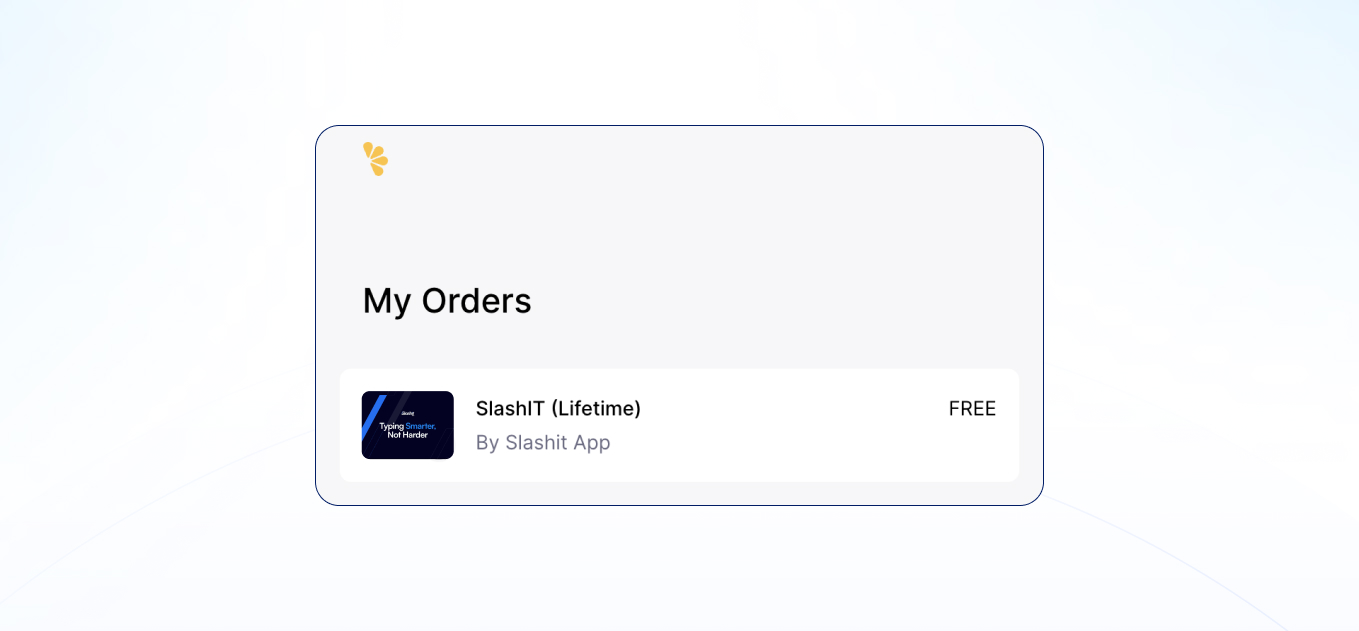
<br> - Click on “License Key”
This button will reveal the full license information for your purchase.
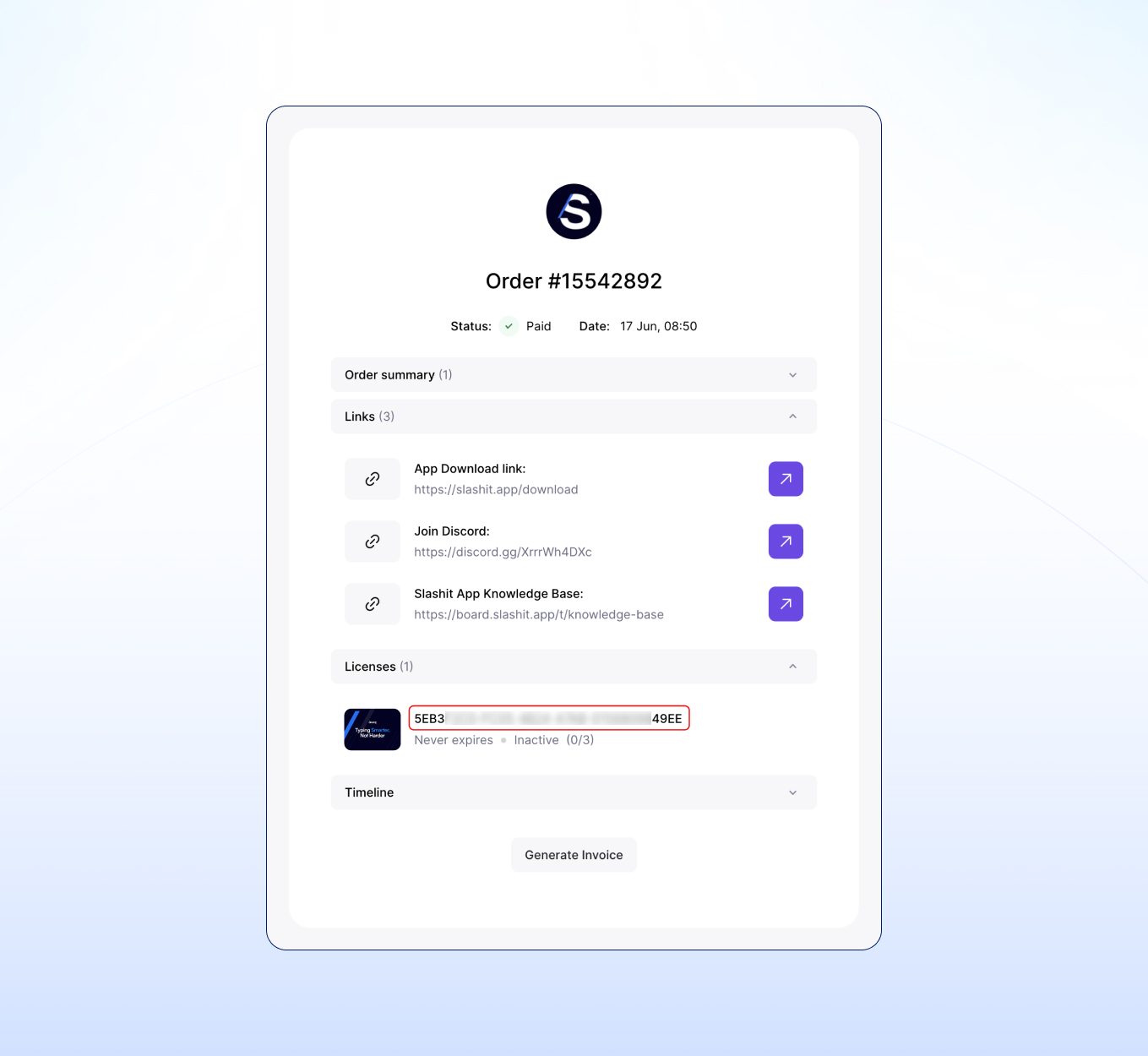
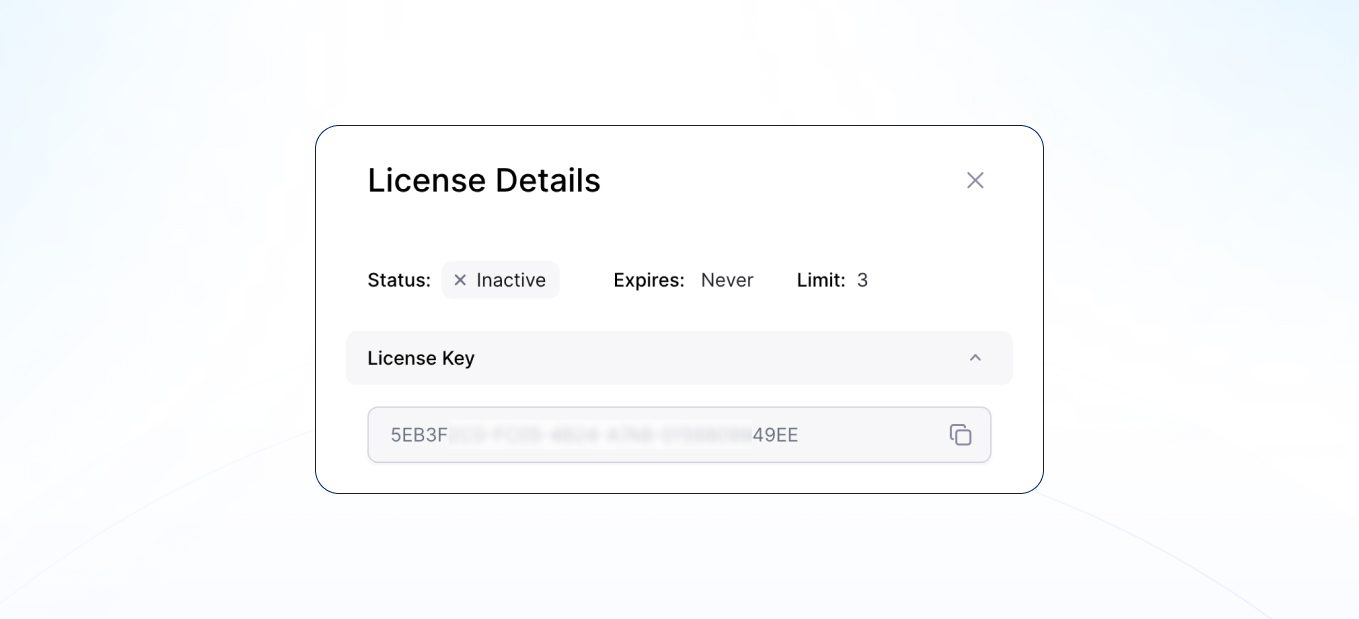
<br> - View your license details
You’ll now see the following details:
- Your full License Key, Activation status, Expiry date, Device Limit
Need to Activate It?
Once you have your key, you can activate your license directly from the app interface.
👉 Read next: How to Activate Your License