Installation & Quickstart
Getting started with Slashit is quick and easy. Whether you’re accessing via the web app or planning to use it on multiple devices, follow these steps to get up and running in no time.
Platform availability
Slashit currently runs on macOS.
Step 1: Download and install
-
Go to the Slashit Website
Click the Download Slashit for Mac. -
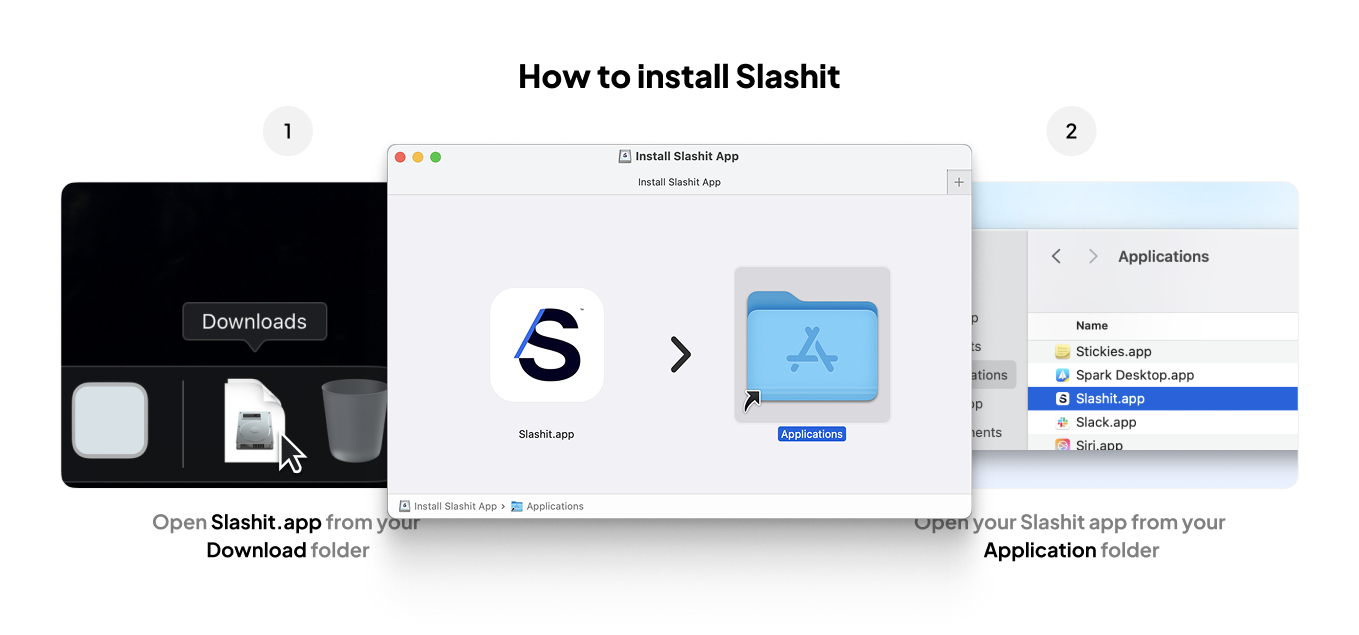
Locate the Slashit.app File
After downloading, double-click theSlashit.dmgfile in your Downloads folder. -
Drag to Applications Folder
Drag the Slashit.app icon into your Applications folder to install it.
Step 2: Launch Slashit
- Open the Slashit.app from your Applications folder
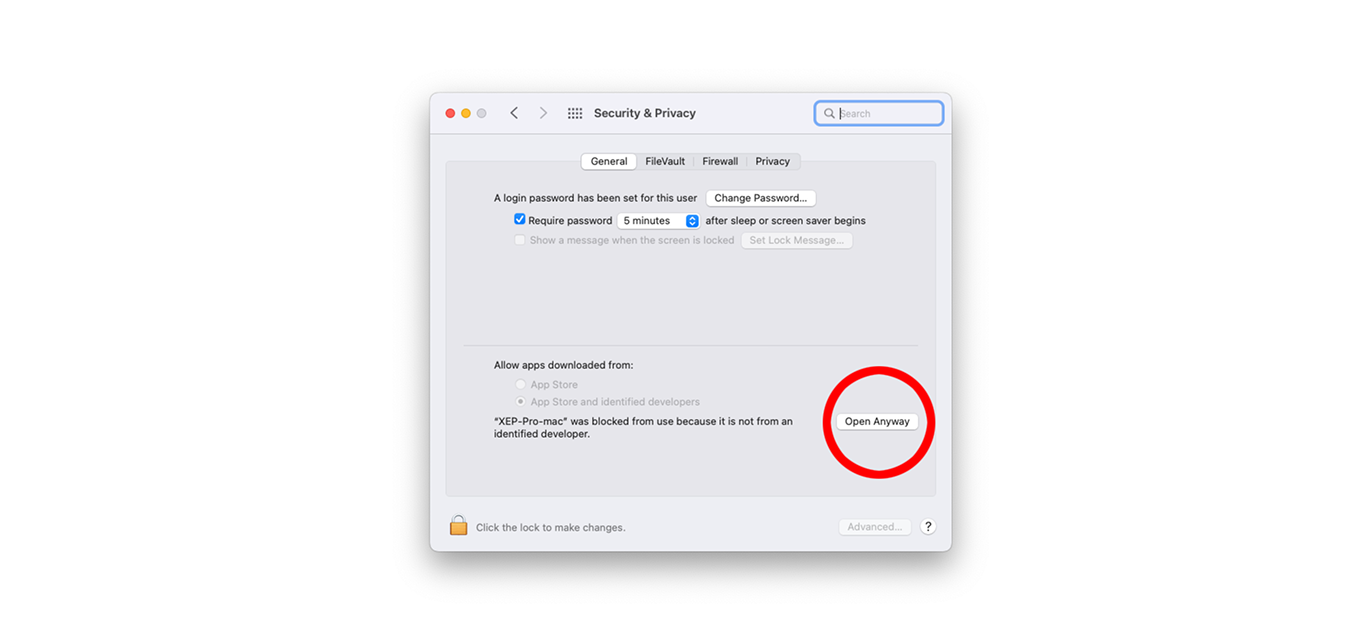
If macOS shows a security prompt (because the app was downloaded from the internet), do the following:
-
Click OK, then go to System Preferences > Security & Privacy
-
Under the General tab, click Open Anyway next to Slashit
Step 3: Sign In or Create an Account
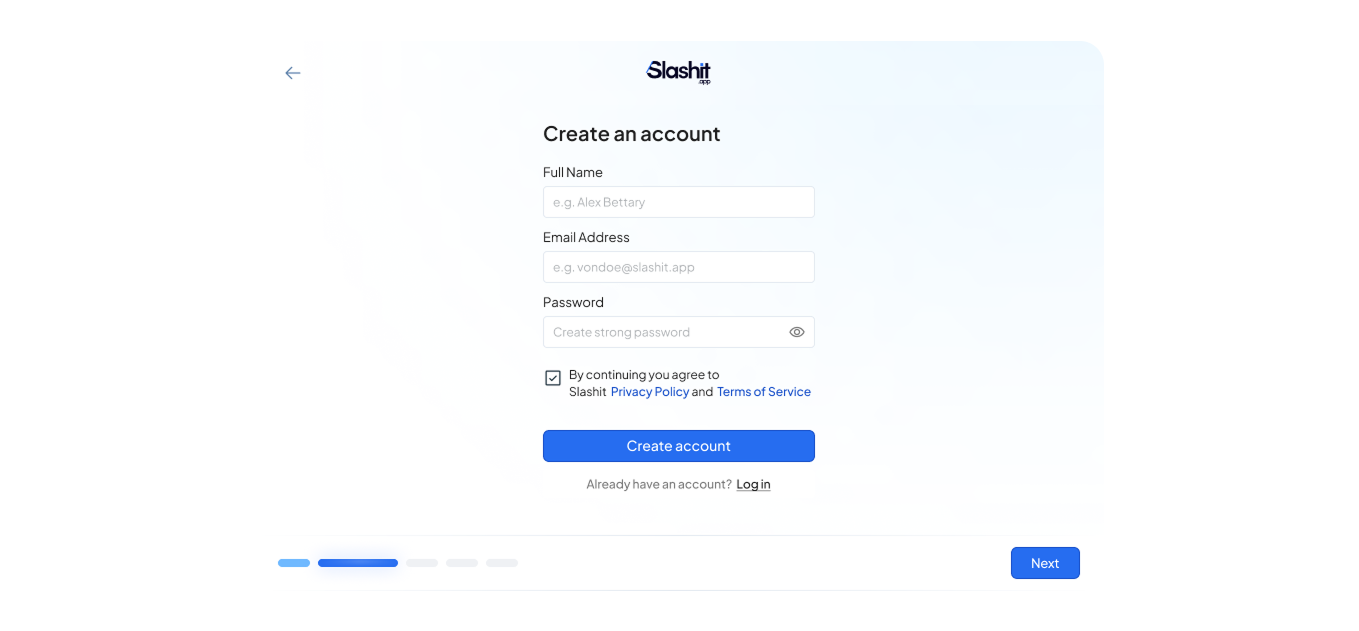
Create a New Account
-
Open Slashit.app

-
On the Create Account screen, enter your following fields Full Name, Email Address and password
-
Click Create Account to finish registration
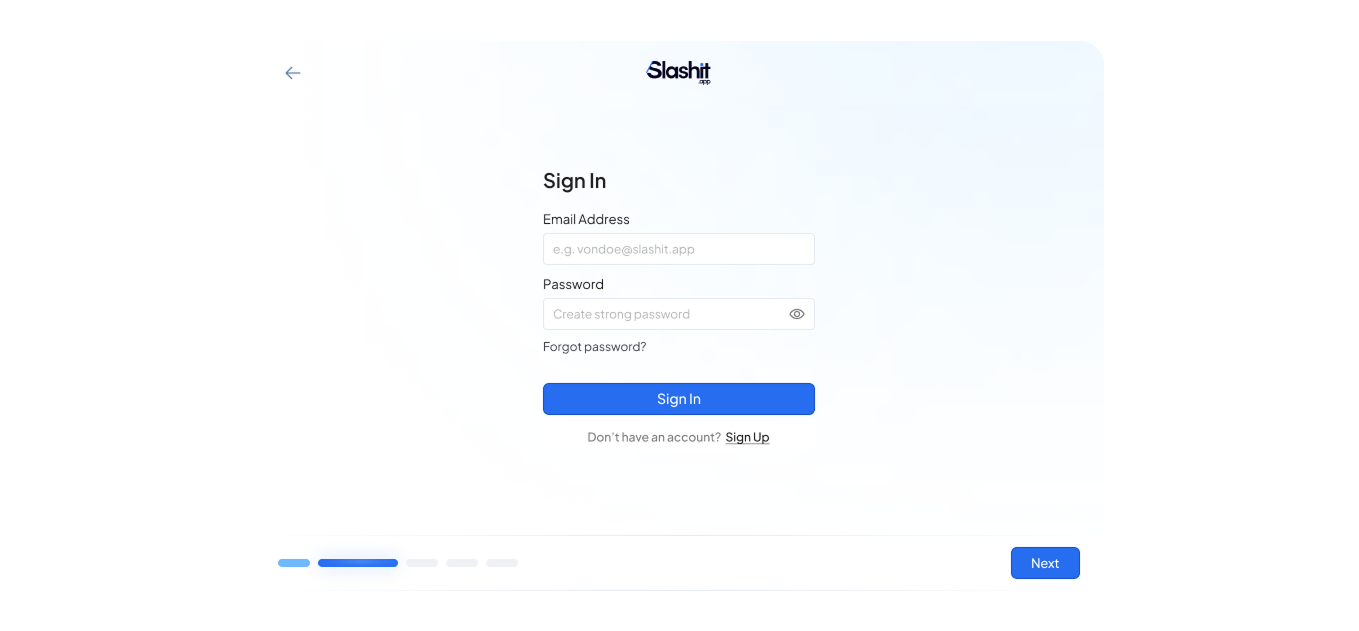
Sign In to Your Account
-
On the login screen, enter your email and password
-
Click Sign In to access your dashboard
 Powered by ProductLift